
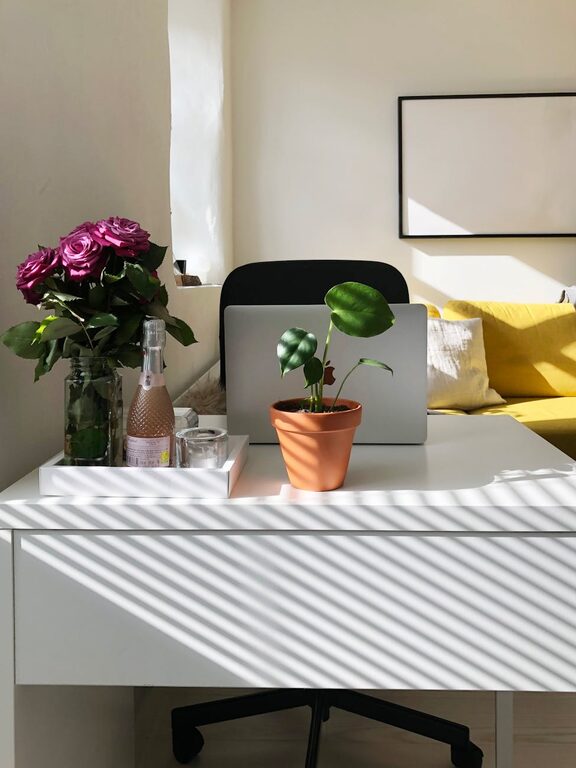
Creating a relaxing home workspace is essential for maintaining productivity and comfort while working remotely. Whether you are new to working from home or looking to improve your existing setup, a calm and inspiring environment can make a significant difference. In this post, we’ll explore practical tips to help you design a workspace that promotes focus, reduces stress, and feels inviting.
Why a Relaxing Workspace Matters
A well-designed home office can improve your concentration, reduce distractions, and increase your overall work satisfaction. When your workspace feels comfortable and soothing, it naturally helps reduce stress and boosts motivation, making your work hours more enjoyable and productive.
Choosing the Right Location
Find a Quiet Spot
Select a space away from household noise and interruptions. If possible, use a separate room or a corner that naturally has less foot traffic.
Maximize Natural Light
Natural light helps regulate your sleep-wake cycle and enhances mood. Position your desk near a window to benefit from daylight, but avoid direct glare on your computer screen by adjusting curtains or blinds.
Ergonomics: Comfort Meets Productivity
Invest in a Good Chair
A supportive, adjustable chair is a must-have. It helps prevent back pain and encourages good posture during long working hours.
Arrange Your Desk Ergonomically
Keep your monitor at eye level with your keyboard and mouse within easy reach. Use a keyboard tray or a laptop stand if necessary to avoid neck and wrist strain.
Add Foot Support
If your feet don’t comfortably touch the floor, consider a footrest to promote better circulation and posture.
Declutter and Organize
Keep Essentials Within Reach
Organize your desk so that frequently used items like pens, notebooks, and devices are easily accessible without cluttering the surface.
Use Storage Solutions
Shelves, drawers, or storage boxes can help keep papers, cables, and office supplies tidy. A neat space reduces distractions and clears your mind.
Digital Decluttering
Organize your digital files regularly and create folders to minimize the time spent searching for documents.
Personalize Your Workspace
Add Plants
Indoor plants not only improve air quality but also bring a touch of nature that can reduce stress and increase creativity.
Choose Soothing Colors
Opt for calming color schemes like soft blues, greens, or neutrals. These shades create a peaceful atmosphere and help maintain focus.
Incorporate Personal Items
Photos, artwork, or small decorations that make you happy can boost your mood without overcrowding the space.
Control Noise and Distractions
Use Noise-Canceling Headphones
If your environment is noisy, headphones can help you concentrate and create a mental boundary between work and home life.
Play Background Music or Sounds
Soft instrumental music or nature sounds can enhance focus for some people. Experiment to find what works best for you.
Manage Lighting Effectively
Combine Natural and Artificial Light
Use a desk lamp with adjustable brightness to supplement natural light, especially in the early morning or evening.
Avoid Harsh Overhead Lighting
Soft, diffused lighting reduces eye strain and creates a warmer, more inviting atmosphere.
Establish Boundaries and Routine
Set Work Hours
Even in a comfortable home setting, maintaining consistent work hours helps balance productivity and relaxation.
Create a Start-of-Day Ritual
This could be as simple as brewing coffee, stretching, or reviewing your to-do list—helping you signal the beginning of your workday.
Take Regular Breaks
Step away from your workspace to rest your eyes, stretch, or get fresh air. Short breaks improve concentration and reduce fatigue.
Make Technology Work for You
Optimize Your Internet Connection
Ensure fast and reliable internet for smooth video calls and swift file downloads.
Use Productivity Tools
Apps for task management, note-taking, or time tracking can keep you organized and motivated.
Minimize Screen Glare
Adjust monitor settings and use screen protectors to reduce eye strain during long hours.
—
By following these tips, you can create a home workspace that truly supports your comfort and productivity. Remember, the goal is to design a space that feels inviting, helps you stay focused, and makes working from home a positive experience day after day.