
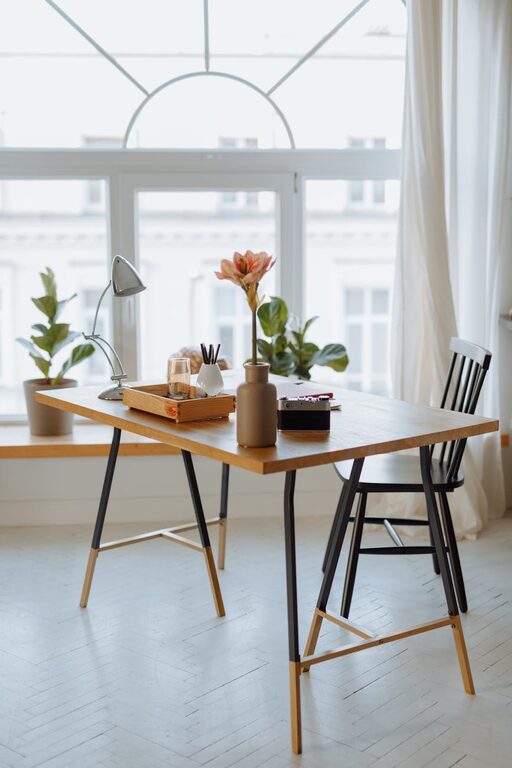
Setting up a home workspace that is both cozy and functional can make a big difference in your daily productivity and comfort. Whether you work remotely full-time or need a dedicated area for occasional tasks, designing a space that supports focus and wellbeing is essential. This guide offers practical tips to help you create a home workspace that feels inviting and meets your work needs.
Choose the Right Location
The first step in creating a home workspace is selecting the best spot. Ideally, look for an area with:
– Natural light: Position your desk near a window if possible. Natural light boosts mood and reduces eye strain.
– Minimal distractions: Find a quiet corner away from household traffic or noise.
– Space for essentials: Ensure there’s enough room for your computer, supplies, and any additional tools you use.
If space is tight, consider multi-functional areas like a dining table or a small nook that can be dedicated to your work during working hours.
Invest in Comfortable Furniture
Comfort is key to sustaining long work sessions without fatigue.
– Ergonomic chair: Choose a chair with adjustable height, lumbar support, and cushioning.
– Desk height: Your desk should allow your elbows to rest comfortably at a 90-degree angle.
– Footrest: If your feet don’t comfortably reach the floor, a footrest can help improve posture.
Comfortable furniture not only supports your health but also keeps you motivated to use the workspace regularly.
Optimize Lighting
Proper lighting creates a welcoming atmosphere and helps reduce eye strain.
– Layered lighting: Combine natural light with overhead lights and a task lamp.
– Task lighting: A desk lamp with adjustable brightness allows you to focus light exactly where you need it.
– Avoid glare: Position screens and lights to minimize reflections and glare.
Consider warm light bulbs for a cozy feel, especially if you work during evenings.
Organize with Purpose
A clutter-free desk promotes focus and productivity.
– Storage solutions: Use shelves, drawers, and organizers to keep supplies neat and accessible.
– Cable management: Use clips or sleeves to tame cables and avoid a tangled mess.
– Essential tools: Keep only frequently used items on your desk; store extras elsewhere.
Regularly declutter your space to maintain a calming environment.
Personalize Your Space
Adding personal touches can make your workspace more inviting and reflect your style.
– Plants: Small indoor plants improve air quality and add a calming green element.
– Artwork: Hang prints or photos that inspire you without distracting.
– Comfort items: Add a cozy throw, a soft rug, or cushions for added warmth.
Balance personalization with simplicity to avoid overwhelming the space.
Incorporate Technology Wisely
Technology should support your workflow, not complicate it.
– Reliable equipment: Invest in a good computer, keyboard, and mouse that suit your needs.
– Wireless options: Reduce clutter with wireless devices where possible.
– Charging stations: Keep cords and chargers organized in a dedicated spot.
Regularly update software and maintain your devices to prevent disruptions.
Set Boundaries and Routine
Even the best workspace needs clear boundaries to separate work and leisure.
– Work hours: Establish consistent times to start and stop working.
– Designated area: Use the workspace only for work activities to condition your mind.
– Break reminders: Take regular breaks to stretch and rest your eyes.
Creating a routine helps maintain productivity and work-life balance.
Final Thoughts
Designing a cozy and functional home workspace is about balancing comfort with practicality. With intentional choices in location, furniture, lighting, and organization, your workspace can become a place you enjoy spending time in. Personal touches and clear boundaries further enhance your experience, helping you stay productive and comfortable throughout the day.
Remember, your workspace can evolve with your needs, so don’t hesitate to adjust and refine it as you go!